Typography
Text in a KineticKit scene is a neutral TextAsset: positioned glyph paths, metrics and optional font data. KineticKit has no font loader of its own. GlyphKit, which is installed with it, lays the text out from fonts that you provide.
GlyphKit integration
from glyphkit import FontLibrary, FontSource
from kinetickit import Animation, Bounds2D, Scene2D, Text2D, Vec2
from kinetickit.integrations.glyphkit import GlyphKitTypography

library = FontLibrary.from_sources((FontSource.path("fonts/SourceSans3-Regular.ttf"),))
typography = GlyphKitTypography(library, families=(library.faces[0].family,), size=48)

title = Text2D(
    id="title",
    asset=typography.asset("Marginal utility"),
    position=Vec2(0.4, 0.6),
    scale=0.022,
    color="#000000",
)
scene = Scene2D(title)
scene = scene.bind({scene.camera.ref("view"): Bounds2D(Vec2(0, 0), Vec2(10, 4))})
motion = title.animate.position.to(Vec2(1.4, 2.8), duration=1.5)
Animation(scene, motion).save("text.svg", width=480, height=192)
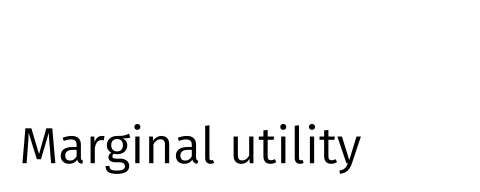
GlyphKit outlines of a caller-provided font, moved by KineticKit.
GlyphKitTypography(
    engine,
    *,
    families,
    size=14.0,
    weight=400,
    slant='normal',
    max_width=None,
    embed=True,
    embedding_use=...,
    allow_unknown=False,
)The typography engine: a GlyphKit FontLibrary.
Font families in fallback order. Each must be in the library.
Font size in the asset's own units; scale the Text2D to fit the scene.
Font weight from 100 to 900.
"normal", "italic" or "oblique".
Wrap lines at this width. None keeps one line.
Embed a permission-checked font subset in the asset.
The declared use the permission check is made for.
Accept fonts whose embedding permission is unknown. The decision is recorded.
A configured adapter. asset(text) returns a TextAsset, layout(text) returns the GlyphKit TextLayout, and math(latex) returns an asset for a formula.
text_asset_from_layout(
    engine,
    layout,
    *,
    embed=True,
    embedding_use=...,
    container=...,
    allow_unknown=False,
) → TextAsset
Converts a GlyphKit TextLayout that you already have into positioned paths, metrics and optional portable font data.
text_asset_from_math(
    engine,
    latex,
    *,
    families,
    size,
    level='display',
    embed=True,
    embedding_use=...,
    allow_unknown=False,
) → TextAsset
Converts a GlyphKit math layout, glyphs and rules included, into a text asset. The formula grammar is GlyphKit's (Math grammar).
An asset keeps GlyphKit's units: y grows upward and the first baseline sits at y = 0, in the same units as size. That is why the Text2D above has a small scale: size=48 makes glyphs about 30 units high, and the scene is 10 units wide.
What each output does with text
| Output | Text |
|---|---|
| SVG | glyph paths, plus permission-checked font subsets as @font-face when embed=True |
| HTML | through the embedded SVG |
| GIF | drawn into pixels |
Fonts are embedded only when GlyphKit's permission check allows it for the declared embedding_use (the default is EmbeddingUse.WEB). A restricted font is rejected. A font with an unknown permission is rejected too, unless you pass allow_unknown=True, and that decision is recorded.
Installing KineticKit installs a compatible GlyphKit. Core KineticKit imports stay lazy: only kinetickit.integrations.glyphkit imports GlyphKit, and GlyphKit never imports KineticKit. A guide such as an axis that needs text fails with TypographyUnavailableError rather than guess a font.