文本排版
KineticKit 场景里的文本是中性的 TextAsset:已定位的字形路径、度量与选用的字体数据。KineticKit 自己没有字体加载器。排版交给随它一起安装的 GlyphKit,用你提供的字体完成。
接上 GlyphKit
from glyphkit import FontLibrary, FontSource
from kinetickit import Animation, Bounds2D, Scene2D, Text2D, Vec2
from kinetickit.integrations.glyphkit import GlyphKitTypography

library = FontLibrary.from_sources((FontSource.path("fonts/SourceSans3-Regular.ttf"),))
typography = GlyphKitTypography(library, families=(library.faces[0].family,), size=48)

title = Text2D(
    id="title",
    asset=typography.asset("Marginal utility"),
    position=Vec2(0.4, 0.6),
    scale=0.022,
    color="#000000",
)
scene = Scene2D(title)
scene = scene.bind({scene.camera.ref("view"): Bounds2D(Vec2(0, 0), Vec2(10, 4))})
motion = title.animate.position.to(Vec2(1.4, 2.8), duration=1.5)
Animation(scene, motion).save("text.svg", width=480, height=192)
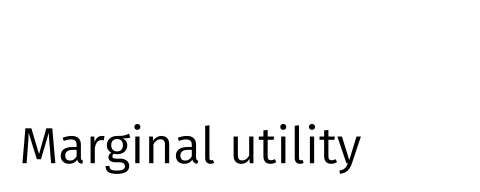
调用端提供的字体经 GlyphKit 取得轮廓,再由 KineticKit 移动。
GlyphKitTypography(
    engine,
    *,
    families,
    size=14.0,
    weight=400,
    slant='normal',
    max_width=None,
    embed=True,
    embedding_use=...,
    allow_unknown=False,
)排版引擎:GlyphKit 的 FontLibrary。
依后备顺序排列的字族。每个都要在字体库里。
字级,使用素材自己的单位;用 Text2D 的缩放配合场景。
字重,从 100 到 900。
"normal"、"italic" 或 "oblique"。
在此宽度换行。None 则只排成一行。
把通过权限检查的字体子集嵌入素材。
权限检查所对应的声明用途。
接受嵌入权限不明的字体,并记录这个决定。
设置好的适配器。asset(text) 返回 TextAsset,layout(text) 返回 GlyphKit 的 TextLayout,math(latex) 返回算式的素材。
text_asset_from_layout(
    engine,
    layout,
    *,
    embed=True,
    embedding_use=...,
    container=...,
    allow_unknown=False,
) → TextAsset
把你已经有的 GlyphKit TextLayout 转成已定位的路径、度量与选用的可携式字体数据。
text_asset_from_math(
    engine,
    latex,
    *,
    families,
    size,
    level='display',
    embed=True,
    embedding_use=...,
    allow_unknown=False,
) → TextAsset
把 GlyphKit 的数学排版结果(含字形与横线)转成文本素材。算式语法由 GlyphKit 定义(参见数学语法)。
素材沿用 GlyphKit 的单位:y 轴向上,第一条基线在 y = 0,单位与 size 相同。这就是上面的 Text2D 要用很小的 scale 的原因:size=48 让字形约 30 个单位高,而场景只有 10 个单位宽。
各种输出怎么处理文本
| 输出 | 文本 |
|---|---|
| SVG | 字形路径;embed=True 时另以 @font-face 嵌入通过权限检查的字体子集 |
| HTML | 通过内嵌的 SVG |
| GIF | 画进像素 |
只有在 GlyphKit 的权限检查允许声明的 embedding_use(缺省是 EmbeddingUse.WEB)时,才会嵌入字体。受限的字体会被拒绝;权限不明的字体也会被拒绝,除非你传入 allow_unknown=True,而这个决定会被记录下来。
安装 KineticKit 会一并安装兼容的 GlyphKit。KineticKit 内核的导入保持延迟加载:只有 kinetickit.integrations.glyphkit 会导入 GlyphKit,GlyphKit 也绝不导入 KineticKit。需要文本的辅助线(例如坐标轴)在没有排版引擎时会抛出 TypographyUnavailableError,不会自己猜一个字体。