Examples
Each example uses only public KineticKit API and generic content: points, lines, paths, shapes, text assets, meshes and surfaces. None of them needs MosaicKit or a visualization package. The scripts sit next to the figures, and the download has all of them.
A chart from plain shapes
Bars are Shape2D rectangles that grow with morph_to, and the trend line draws itself with draw_progress. Axis2D and Grid2D from kinetickit.guides compile to ordinary nodes against the resolved layout.
from kinetickit import ease
from kinetickit.animation import Animation
from kinetickit.geometry.two_d import Bounds2D, Path2D, Vec2
from kinetickit.guides import Axis2D, Grid2D
from kinetickit.layout import Viewport, resolve_layout
from kinetickit.scene import PathNode2D, Scene2D, Shape2D

VALUES = [3.0, 5.5, 4.0, 7.5, 6.0]
bars = [
    Shape2D(id=f"bar{i}", path=Path2D.rect(i + 0.15, 0, 0.7, 0.0001), fill="#999999")
    for i, _ in enumerate(VALUES)
]
line = PathNode2D.polyline(
    "trend", [(i + 0.5, v) for i, v in enumerate(VALUES)], width=3, color="#000000", draw_progress=0.0
)
base = Scene2D(*bars, line)
base = base.bind({base.camera.ref("view"): Bounds2D(Vec2(-0.9, -1.2), Vec2(5.9, 9))})

layout = resolve_layout(Animation(base), Viewport(280, 420))
guides = [
    Grid2D("grid", (0, 5), (0, 8)).compile(),
    Axis2D("x", "x", (0, 5)).compile(layout),
    Axis2D("y", "y", (0, 8), at=0).compile(layout),
]
scene = Scene2D(*guides, *bars, line, camera=base.camera)

motion = None
for i, (bar, value) in enumerate(zip(bars, VALUES, strict=True)):
    grow = bar.morph_to(Path2D.rect(i + 0.15, 0, 0.7, value), duration=0.8, easing=ease.out_cubic)
    motion = grow if motion is None else motion.with_(grow, offset=0.1 * i)
motion = motion.then(line.animate.draw_progress.to(1.0, duration=1.0))

Animation(scene, motion).save("chart.svg", width=280, height=420, loop=True)
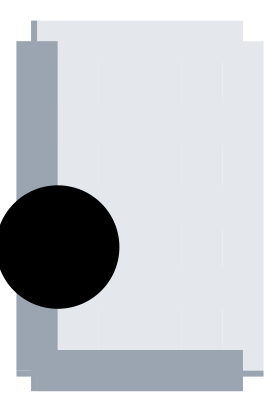
Bars grow one after another, then the trend line draws itself.
Axis2D(id, orientation, range, at=0.0, tick_count=5, tick_length=6.0)"x" or "y".
Data range of the axis.
Where the axis crosses the other one.
Number of ticks.
A guide that compiles to the nodes of an axis against a resolved layout.
Grid2D(id, x_range, y_range, tick_count=5)Range of the vertical lines.
Range of the horizontal lines.
Number of lines per direction.
A guide that compiles to grid lines.
Viewport(width, height, margins=...)Width of the frame.
Height of the frame.
Space kept free around the content.
The size and margins of the frame that a layout is resolved for.
resolve_layout(animation, viewport, *, padding=0.05) → LayoutResultThe animation to resolve.
The frame that the layout is made for.
Fraction of the frame kept free.
Resolves the camera, the margins and the units of an animation for one viewport.
Any object model, through an adapter
KineticKit knows nothing about your classes. You write a function that translates one object into nodes with stable ids, and transition(before, after, depict) matches the nodes of two states by id. Ids that exist only in after fade in, ids that exist only in before fade out, and compatible properties interpolate.
import math
from dataclasses import dataclass

from kinetickit.adapters import adapt, transition
from kinetickit.animation import Animation
from kinetickit.geometry.two_d import Bounds2D, Vec2
from kinetickit.scene import Line2D, Point2D


@dataclass(frozen=True)
class Satellite:
    name: str
    angle: float
    radius: float
    tint: str


def depict(satellite: Satellite):
    position = Vec2(
        satellite.radius * math.cos(satellite.angle), satellite.radius * math.sin(satellite.angle)
    )
    return [
        Point2D(id=f"{satellite.name}.body", position=position, size=7, color=satellite.tint),
        Line2D(id=f"{satellite.name}.tether", start=Vec2(0, 0), end=position, width=1.5, color="#999999"),
    ]


before = [Satellite("alpha", 0.0, 3.0, "#000000"), Satellite("beta", 2.0, 5.0, "#666666")]
after = [
    Satellite("alpha", 1.5, 4.0, "#000000"),
    Satellite("beta", 4.0, 5.0, "#666666"),
    Satellite("gamma", 5.5, 2.0, "#999999"),
]
step = transition(before, after, depict, duration=1.5)
scene = step.scene
scene = scene.bind({scene.camera.ref("view"): Bounds2D(Vec2(-6, -6), Vec2(6, 6))})
Animation(scene, step.motion).save("satellites.svg", width=360, height=360)
Two satellites move to new orbits and a third fades in.
adapt(objects, depict) builds the plain scene of one state. A parameter sweep from another package works the same way: depict each frame's layers with the layer ids as node ids, and join the transitions with then (Migrating animation code).
adapt(objects, adapter, *, overlay=(), camera=None, dimension=2) → SceneBaseYour objects.
Your depiction function. Every node needs a stable id.
Extra nodes that stay in the scene.
The camera, when the default is not wanted.
2 or 3.
Turns a collection of your objects into one scene, by calling your depiction function on each.
transition(before, after, adapter, **options) → TransitionObjects of the first state.
Objects of the second state.
Your depiction function.
Timing options such as duration.
Matches the nodes of two states by id and returns the scene and the motion that carries one to the other.
A lit 3D surface
The surface example is on the scenes page. The same animation writes SVG, GIF and HTML:
animation.save("surface.svg", width=480, height=360)  # projected 3D, no extras
animation.save("surface.gif", width=320, height=240, fps=10)  # kinetickit[raster]
animation.save("surface.html", width=640, height=420, fps=12, title="Surface")  # kinetickit[interactive]
The projected SVG of this surface is about 2.9 MB, because every sampled frame carries all of its faces. The GIF is about 320 KB and the HTML, which embeds a plotting runtime, about 5 MB. Use a coarser grid when file size matters.
Interactions and accessibility
Two points carry roles, labels and reading order. Clicking a plays the named range run, and clicking b toggles its selection and dims it. The HTML runs both bindings. The SVG drops them, because SVG cannot run interactions, and the manifest says so.
from kinetickit.accessibility import AccessibilityInfo, Semantics
from kinetickit.animation import Animation
from kinetickit.geometry.two_d import Bounds2D, Vec2
from kinetickit.interaction import Binding, Event, InteractionSpec, PlayRange, Select, SetProperty
from kinetickit.scene import Point2D, Scene2D

a = Point2D(
    id="a",
    position=Vec2(1, 1),
    size=9,
    semantics=Semantics(
        role="graphics-symbol", label="Start", description="Where the motion begins", reading_order=1
    ),
)
b = Point2D(
    id="b",
    position=Vec2(8, 8),
    size=9,
    semantics=Semantics(role="graphics-symbol", label="Goal", reading_order=2),
)
scene = Scene2D(a, b)
scene = scene.bind({scene.camera.ref("view"): Bounds2D(Vec2(0, 0), Vec2(10, 10))})
motion = a.animate.position.to(Vec2(8, 8), duration=2.0).mark("arrived", 2.0)

interactions = InteractionSpec(
    (
        Binding(Event.CLICK, (PlayRange("run"),), "a"),
        Binding(Event.CLICK, (Select(mode="toggle"), SetProperty(None, "opacity", 0.6)), "b"),
    ),
    {"run": (0.0, 2.0)},
)
info = AccessibilityInfo(
    title="Reaching the goal",
    description="A dot travels to a target",
    long_description="A dot starts at the lower left and moves to the upper right.",
)
animation = Animation(scene, motion, interactions=interactions, accessibility=info)
animation.save("interactive.html", width=480, height=480, autoplay=False)
animation.save("interactive.svg", width=480, height=480)
Action that plays a named time range.
Select(target=None, mode='toggle')Node id, or None for the node that was hit.
"select", "deselect" or "toggle".
Action that selects, deselects or toggles a node.
SetProperty(target=None, property='opacity', value=1.0)Node id, or None for the node that was hit.
Property name.
The new value.
Action that sets a property of a node, such as its opacity.
Open the interactive page. It is one self-contained file.