Animation
econ-viz includes a lightweight GIF workflow built around Animator. The API stays close to normal plotting: you write a frame factory that returns a fresh Canvas or Figure, then sweep a numeric frame sequence and save the result as a GIF.
Install
If you also want notebook widgets, install:
Minimal example
import numpy as np

from econ_viz import Canvas, levels, solve
from econ_viz.animation import Animator
from econ_viz.models import CobbDouglas

def draw(px: float) -> Canvas:
    model = CobbDouglas(alpha=0.5, beta=0.5)
    eq = solve(model, px=px, py=2.0, income=20.0)
    lvls = levels.around(eq.utility, n=5)

    return (
        Canvas(
            x_max=14, y_max=12,
            x_label="X_1", y_label="X_2",
            title="Price sweep"
        )
        .add_utility(model, levels=lvls)
        .add_budget(px=px, py=2.0, income=20.0, fill=True)
        .add_equilibrium(eq, show_ray=True, drop_dashes=True)
    )

Animator(draw, frames=np.linspace(1.0, 6.0, 45)).save(
    "price_sweep.gif",
    fps=12,
    dpi=120,
)
Teaching sweeps
The local example script at examples/animation.py now generates three separate sweep families:
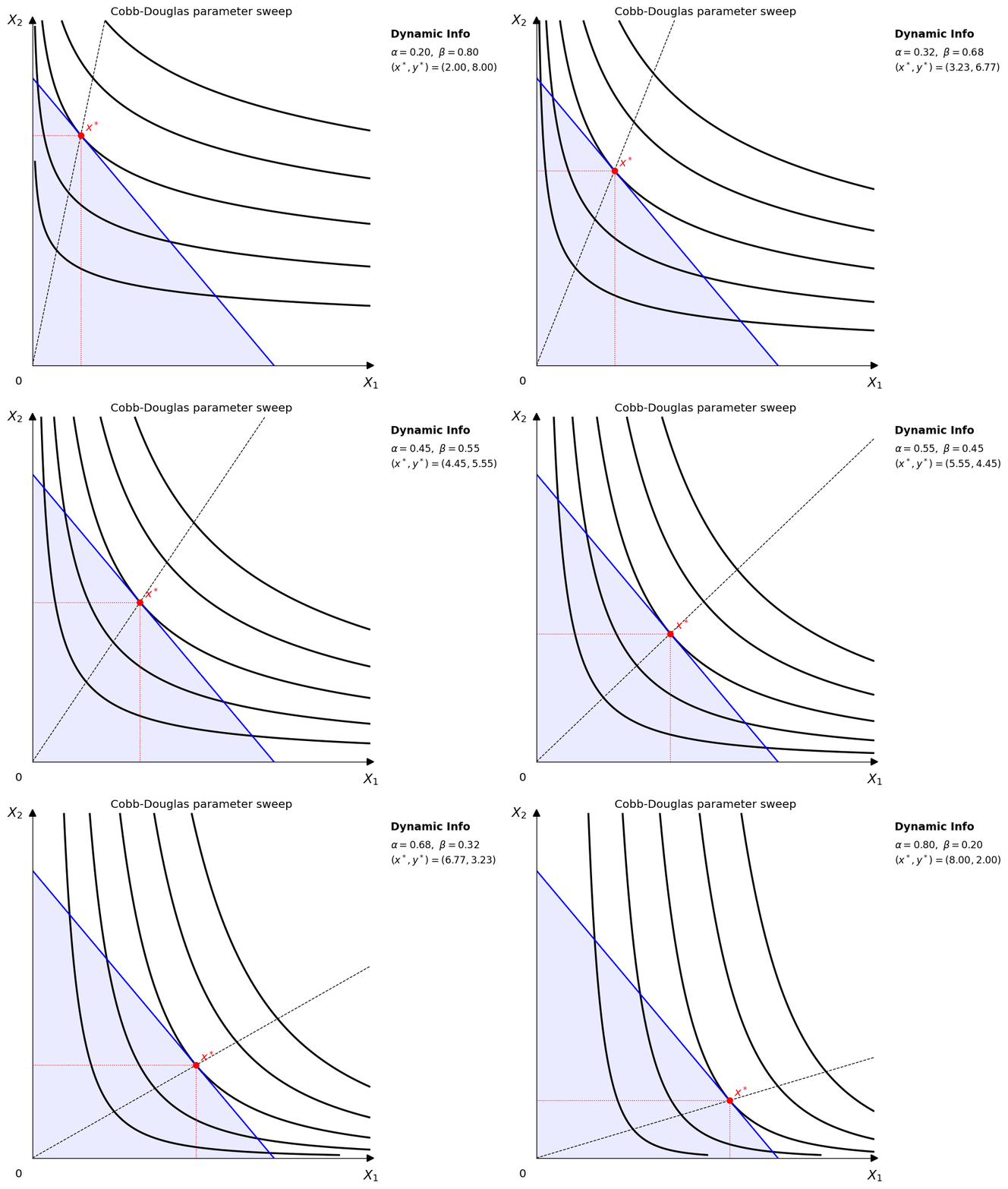
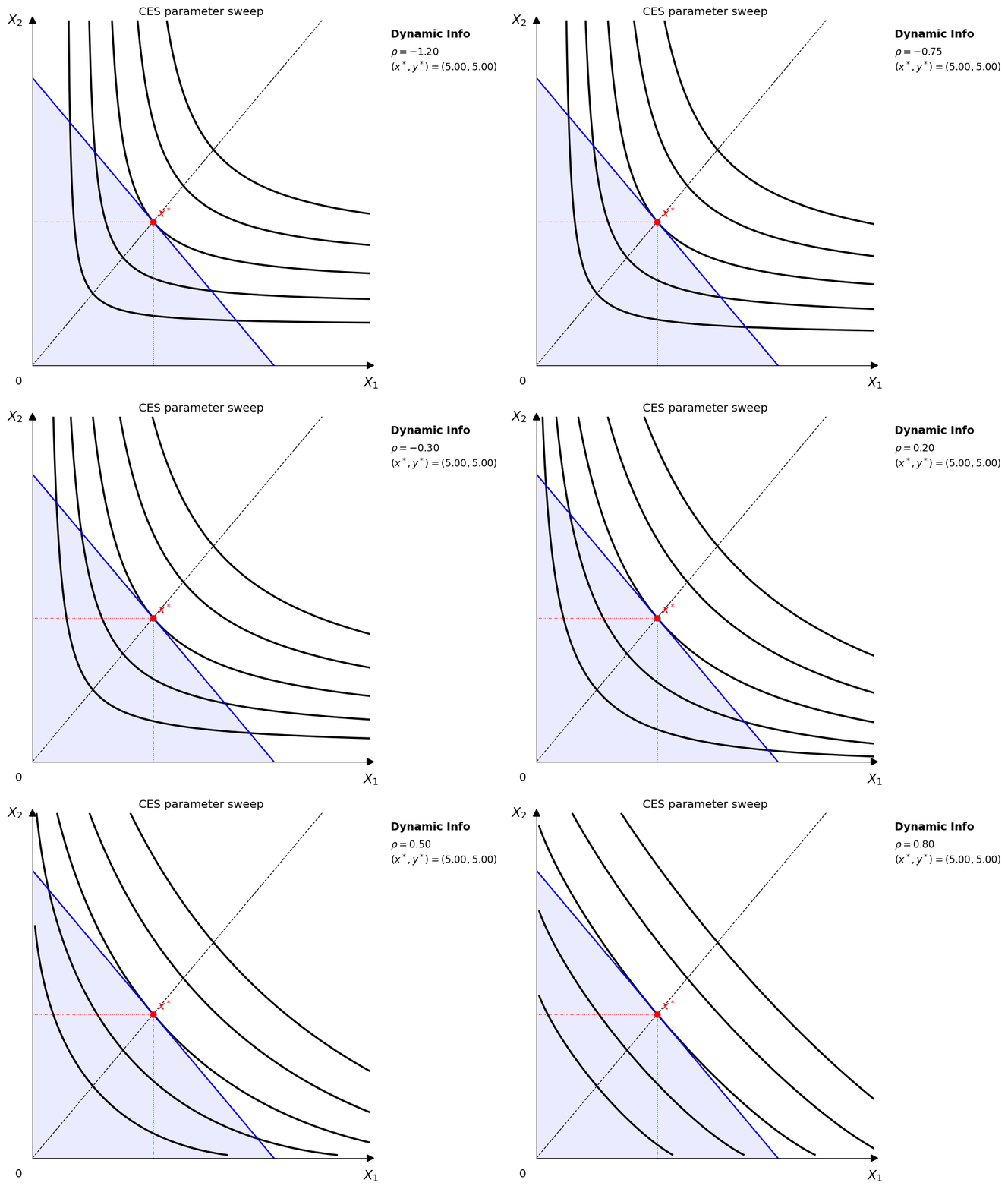
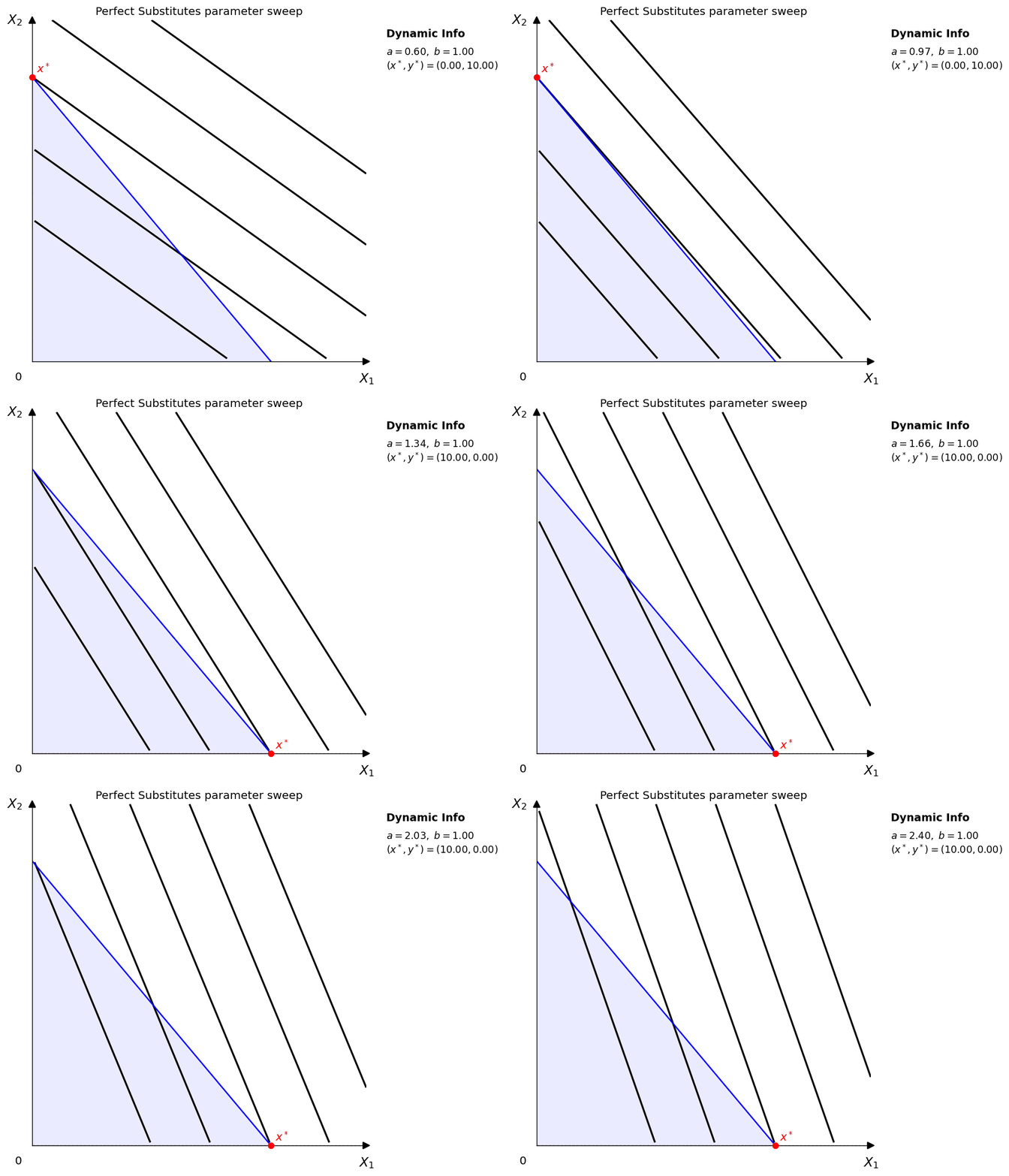
- Parameter sweeps: move one utility-function parameter while holding prices and income fixed.
- Price sweeps: hold the utility function fixed and sweep \(p_x\) while holding \(p_y\) fixed.
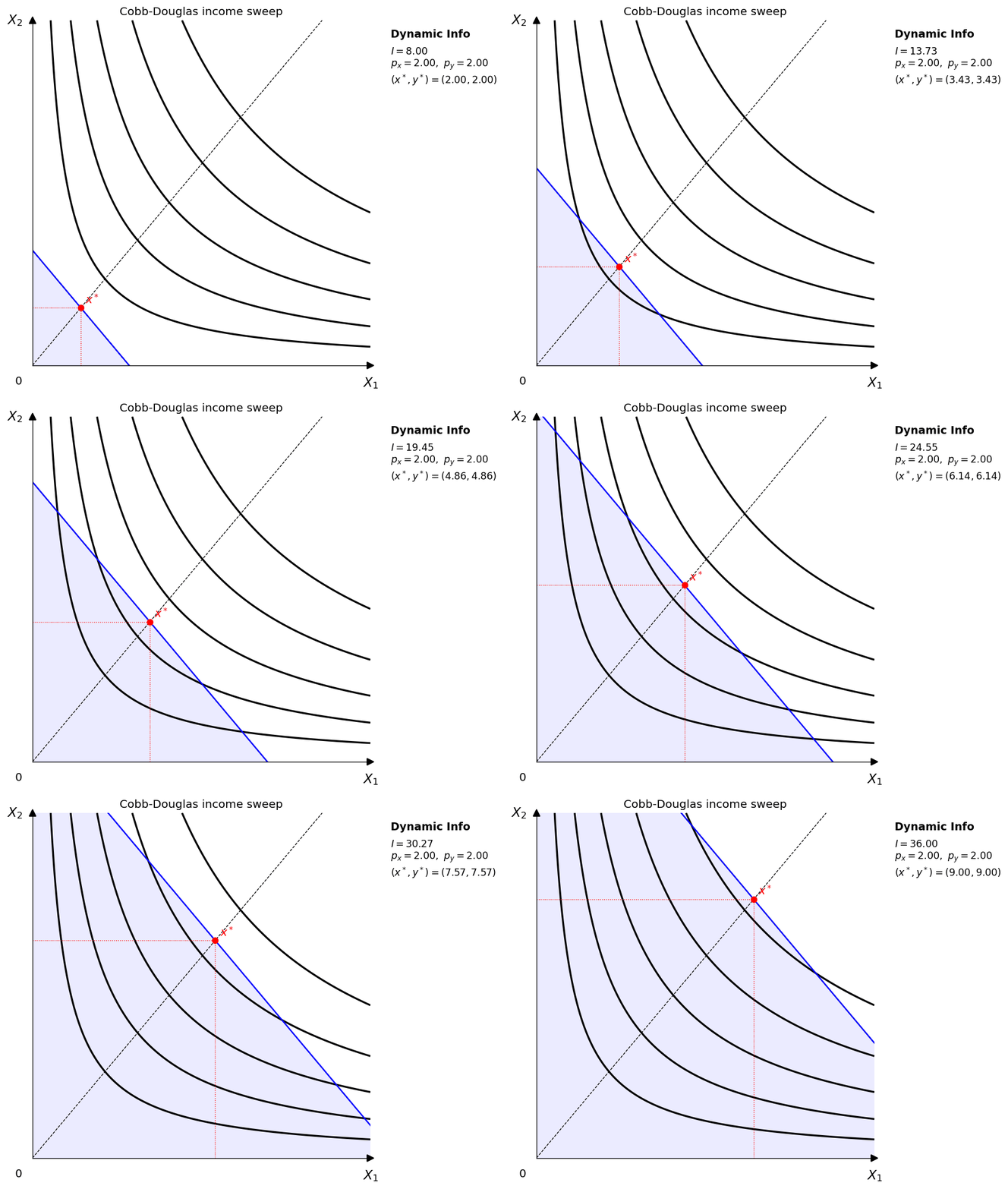
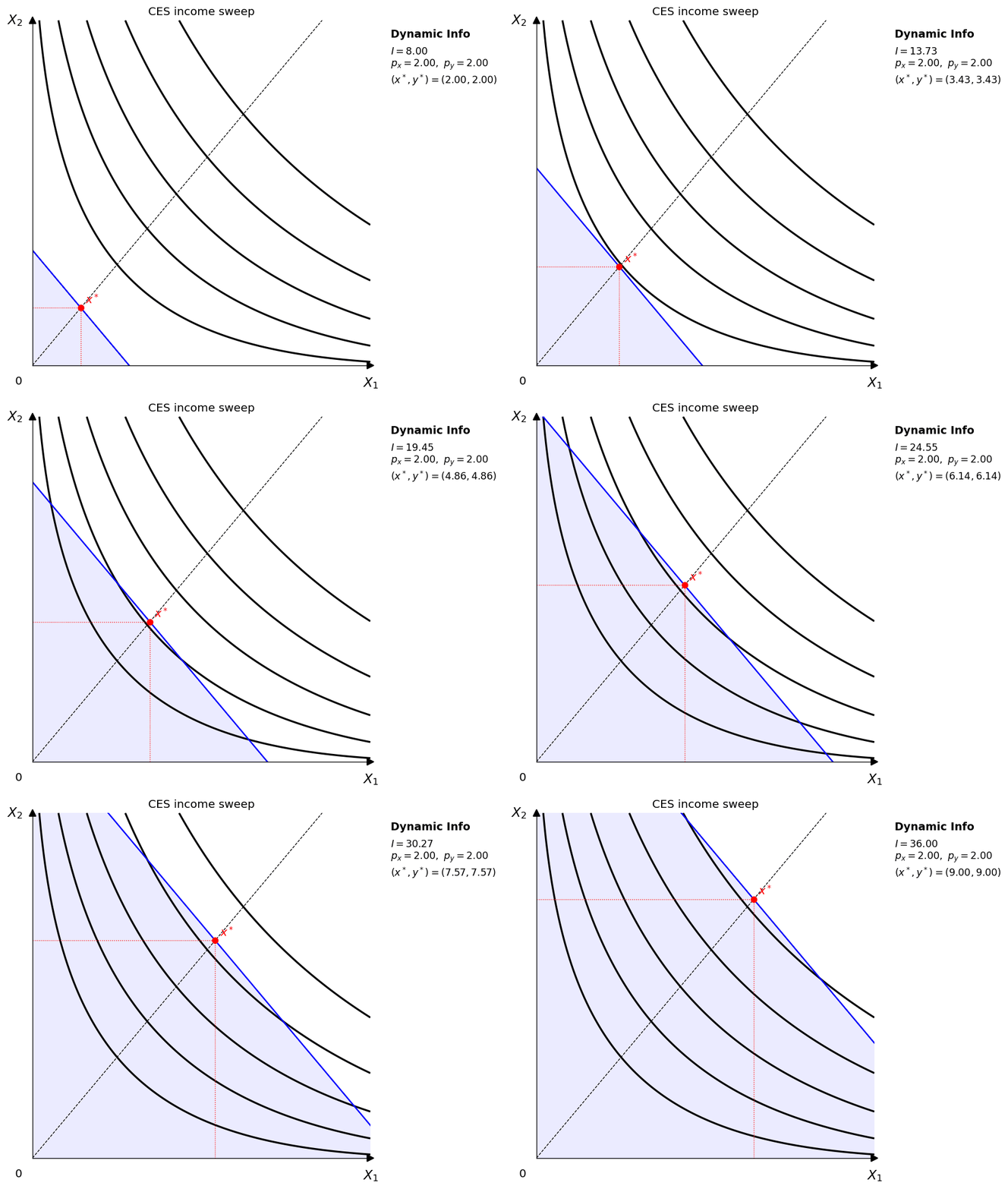
- Income sweeps: hold the utility function and prices fixed and move only income.
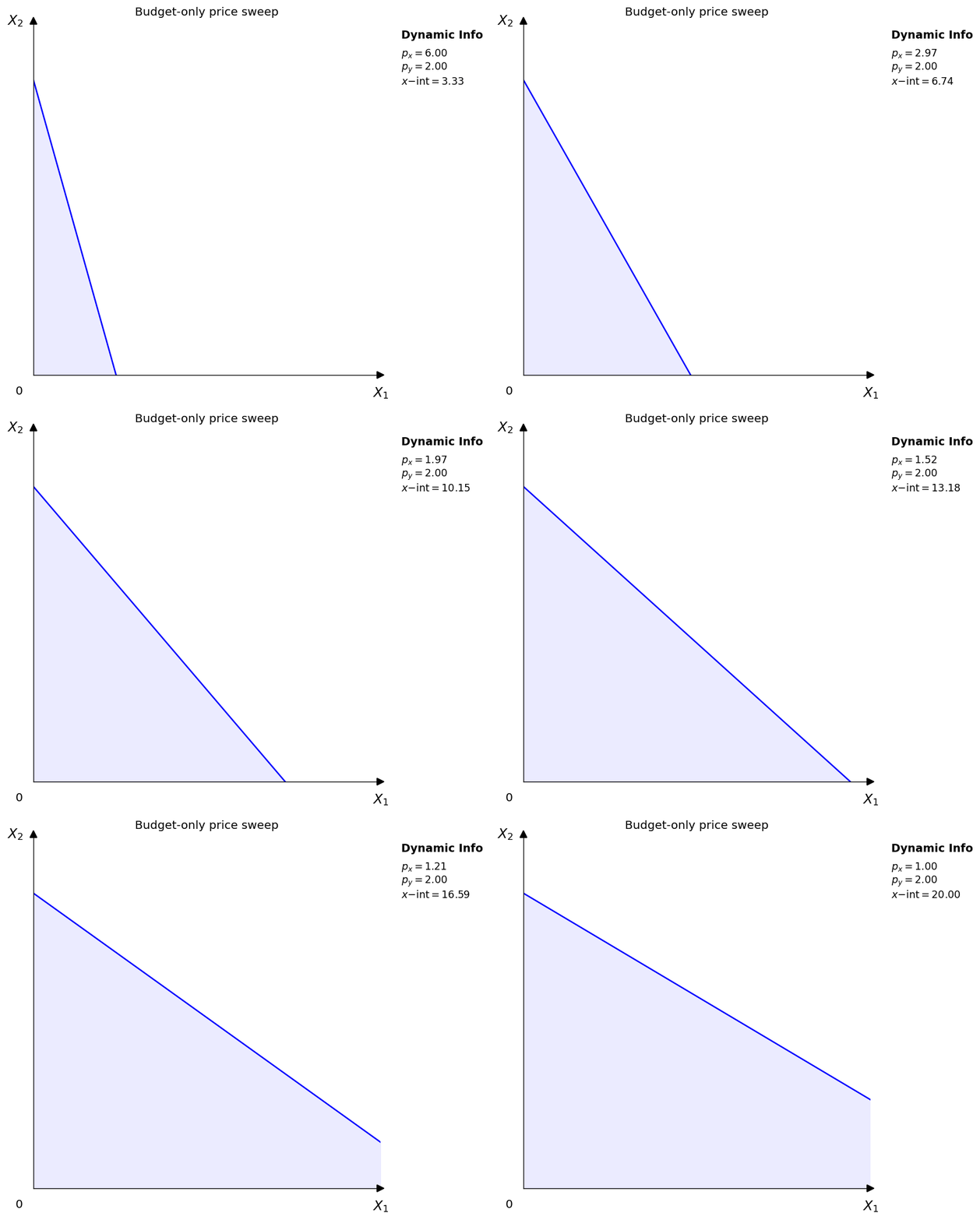
- Budget-only sweeps: remove the utility layer entirely so students can isolate budget-line motion.
The docs site embeds the same GIF assets directly, so what you see here matches the locally generated examples.
Parameter sweeps
Vary utility-function parameters to see how the shape of the preference map changes.
|
|
|
|
Price sweeps
Hold the utility function and background indifference-curve levels fixed, then vary one good's price to trace equilibrium as the budget line rotates.
|
|
|
|
|
Income sweeps
Hold the utility function and prices fixed, then vary income to trace equilibrium as the budget line shifts in parallel.
|
|
|
|
|
Export notes
GIF export follows these rules:
Animator.save()uses Pillow, so noffmpegdependency is required.- GIF frames are composited onto white before export to prevent frame stacking artifacts.
fps,dpi, andloopare configurable per animation.